🧩 AWS EventBridge Explained: The Ultimate Q&A Guide for Developers (with Real-Life Examples)
🧠 1. What Is AWS EventBridge?
AWS EventBridge is a serverless event bus service that connects your applications using events. Think of it as an event post office — when one AWS service emits an event, EventBridge routes it to the correct destination.
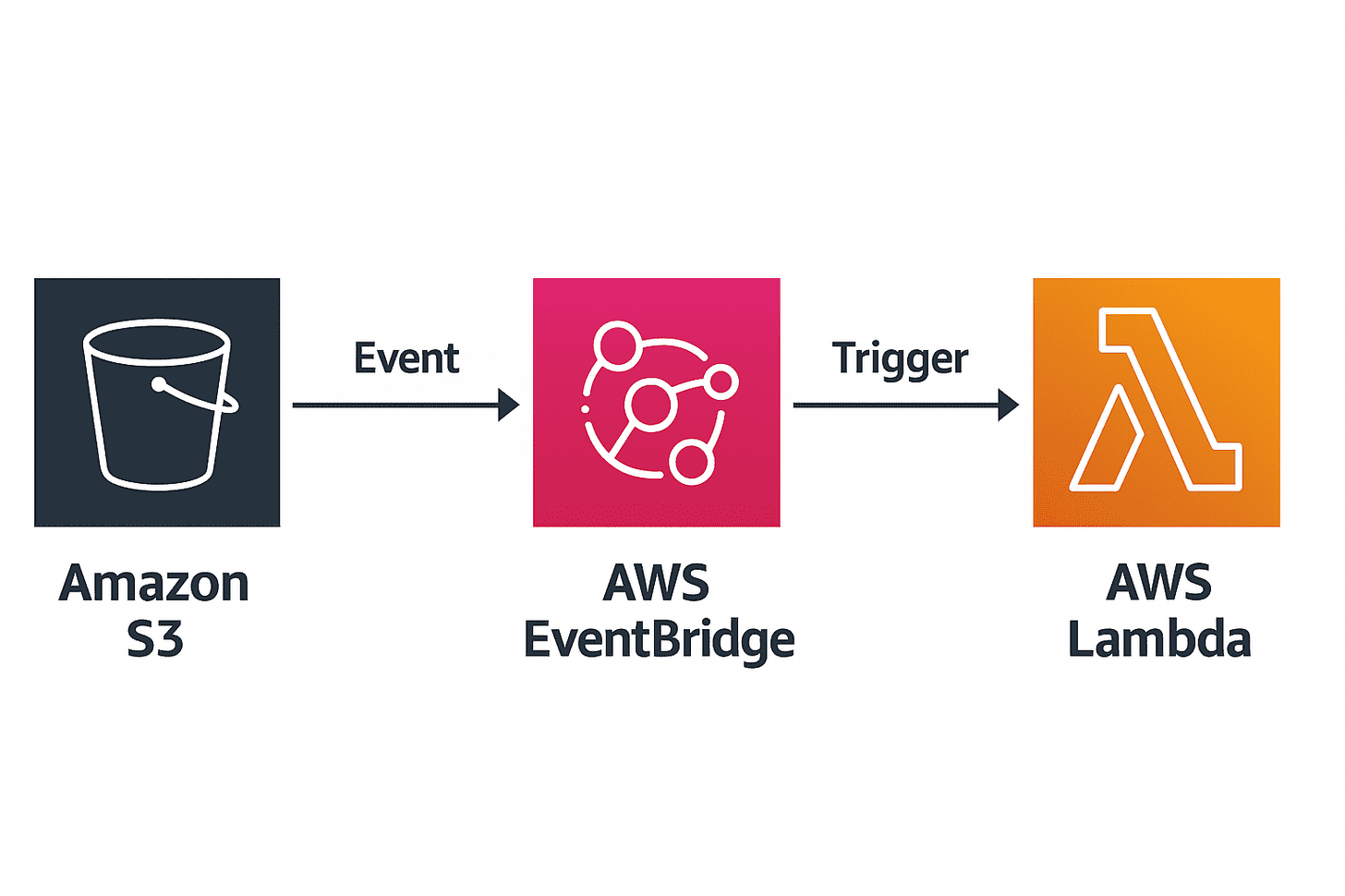
Example: When a file is uploaded to S3, EventBridge can trigger a Lambda to process it.
🌍 2. Why Do We Use AWS EventBridge?
It helps build event-driven architectures — systems that react automatically to changes without manual polling.
Examples:
- When a new order is placed → trigger a payment microservice.
- When a file is uploaded → process it with Lambda.
EventBridge makes your application scalable, faster, and decoupled.
🔔 3. What’s the Difference Between SNS, SQS, and EventBridge?
| Feature | SNS | SQS | EventBridge |
|---|---|---|---|
| Type | Pub/Sub | Queue | Event Bus |
| Message Flow | Publisher → Subscribers | Producer → Queue → Consumer | Event Source → Event Bus → Target |
| Fan-out | Yes | No | Yes (with filtering) |
| Schema Registry | ❌ | ❌ | ✅ |
| Filtering Rules | Limited | None | ✅ Advanced |
| Integrations | Basic | Basic | ✅ Deep AWS & SaaS |
EventBridge is more flexible and intelligent, built for automation between AWS services and SaaS apps.
⚙️ 4. How Does AWS EventBridge Work?
Three main components:
- Event Source — where events originate (e.g., S3, EC2, or a custom app).
- Event Bus — the central router.
- Rules and Targets — decide what happens when an event matches a pattern.
Example:
User uploads image → S3 emits event → EventBridge rule matches pattern → triggers Lambda to resize image.
🧰 5. Real-Life Use Cases
✅ Microservices communication: connect order → payment → delivery. ✅ Automation: trigger workflows when EC2 starts/stops. ✅ Monitoring: forward events to Slack or Datadog. ✅ SaaS integration: sync AWS events to external apps. ✅ Security automation: disable keys or alert teams automatically.
💡 6. Can I Create Custom Events?
Yes! You can create custom event buses and send your own events.
Example (Node.js AWS SDK):
import { EventBridgeClient, PutEventsCommand } from "@aws-sdk/client-eventbridge";

const client = new EventBridgeClient({ region: "us-east-1" });

const params = {
  Entries: [
    {
      Source: "myapp.user",
      DetailType: "UserSignedUp",
      Detail: JSON.stringify({ username: "joy123", email: "joy@example.com" }),
      EventBusName: "default",
    },
  ],
};

await client.send(new PutEventsCommand(params));
console.log("Event sent successfully!");
🧑💻 7. Terraform Example
Trigger a Lambda function when an S3 upload occurs:
resource "aws_s3_bucket" "example" {
  bucket = "my-eventbridge-demo"
}

resource "aws_lambda_function" "process_file" {
  filename         = "lambda.zip"
  function_name    = "process_file"
  role             = aws_iam_role.lambda_exec.arn
  handler          = "index.handler"
  runtime          = "nodejs18.x"
}

resource "aws_cloudwatch_event_rule" "s3_upload_rule" {
  name        = "s3-upload-event"
  description = "Trigger Lambda on new S3 object"
  event_pattern = jsonencode({
    "source" : ["aws.s3"],
    "detail-type" : ["AWS API Call via CloudTrail"],
    "detail" : {
      "eventSource" : ["s3.amazonaws.com"],
      "eventName"   : ["PutObject"]
    }
  })
}

resource "aws_cloudwatch_event_target" "trigger_lambda" {
  rule      = aws_cloudwatch_event_rule.s3_upload_rule.name
  target_id = "lambda"
  arn       = aws_lambda_function.process_file.arn
}

resource "aws_lambda_permission" "allow_eventbridge" {
  statement_id  = "AllowExecutionFromEventBridge"
  action        = "lambda:InvokeFunction"
  function_name = aws_lambda_function.process_file.function_name
  principal     = "events.amazonaws.com"
  source_arn    = aws_cloudwatch_event_rule.s3_upload_rule.arn
}
🧩 8. Event Patterns and Schemas
Event Patterns: define which events to match (e.g., EC2 stopped).
Schemas: define event structure — EventBridge auto-discovers them and helps generate code bindings.
💬 9. Real Application Example
When a user signs up → EventBridge triggers: 1️⃣ Send email via Lambda. 2️⃣ Log event in DynamoDB. 3️⃣ Forward data to analytics (Kinesis Firehose).
All done without writing extra integration logic.
💰 10. Pricing
EventBridge is cost-effective:
- $1 per 1 million events.
- First 100,000 events/month free.
Great for prototypes and small applications.
🧭 11. When to Use EventBridge
✅ Use it when:
- You need real-time automation.
- You want serverless microservice communication.
- You prefer loosely coupled architecture.
❌ Avoid when:
- You need strict ordering (use SQS).
- You need synchronous response (use API Gateway or Step Functions).
🚀 Final Takeaway
AWS EventBridge is the central nervous system of your AWS environment — connecting everything seamlessly and serverlessly.
If you’re preparing for the AWS Developer Associate Exam, mastering EventBridge will help you handle real-world architecture questions confidently.